





Till and sales
Scan-based sales, payment and receipt.
Point-of-sale software · Morocco
EASY-POS brings the till and store management together: your sales staff scan the item, take payment and print the receipt, while stock, customers and suppliers stay up to date in one place.




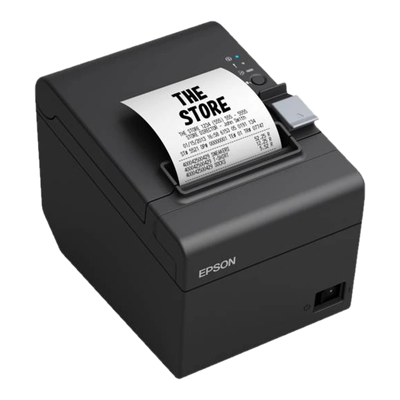
POS hardware
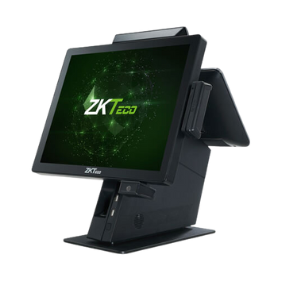
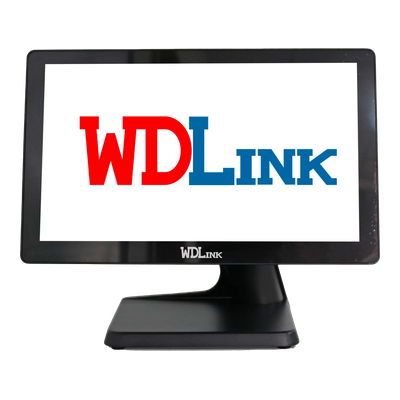
We supply your counter hardware, install it and connect it to EASY-POS: ZKTeco, Zebra, Epson and WDLink, with the manufacturers' spec sheets.
At the till
No prices to remember and no references to type in: the item's code does the work, so staff can focus on the customer.
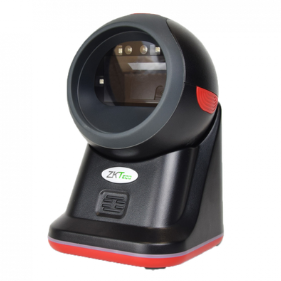
The 2D scanner reads the label's barcode or QR code, and the item is added to the sale with its price.
Cash, card, cheque, bank transfer… A sale can be paid in one go or in several instalments.
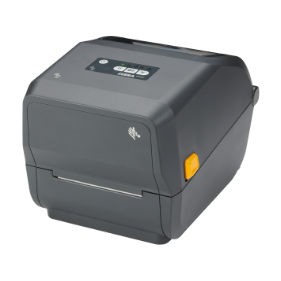
The receipt comes out of the receipt printer and the sale joins the store's history.
What changes
Most stores already have a system: a notebook for credit, a calculator, a stock count now and then. Here is what the software takes over.
| In the store | Without software | With EASY-POS |
|---|---|---|
| An item's price | Remembered, or looked up on a list | Read by the scanner from the product record |
| Labels | Handwritten | Printed with a barcode or a QR code |
| Stock | Counted by hand, when there is time | Updated with every goods-in, goods-out and sale |
| Stock counts | Counted on paper, then typed in | Scanned with a handheld scanner, differences shown |
| Several stores | A phone call to find out what the other shop has | Each store's stock and the transfers between them |
| Payment receipts | Filed in a binder | Attached to the payment, as a photo or PDF |
| Customer credit | Written in a notebook | A balance due tracked sale by sale |
| Who sold what | Hard to trace | Every sale carries the seller's name |
| The month's figures | Worked out at the end of the month | On the dashboards, at any time |
The software
Products, stock in and out, scanner stock counts, transfers between stores, suppliers, payments and dashboards share the same data, so what is sold at the counter shows up everywhere.
Scan-based sales, payment and receipt.
Product records, codes and labels.
Stock in and out, transfers, stock value.
Count by scanning, see the differences.
Stock per store and transfers.
Suppliers, purchase orders and purchase notes.
Customer and supplier payments, attachments.
Revenue, payments, best sellers.
Dashboards
What the manager checks on arrival, without waiting for month end.
How it moves, day by day and month by month.
Credit sales, cheques and bills still to be cashed.
The products that sold most over the period you choose.
Quantities on the shelves and their value at cost price.
Roles
Each user has their own account and a role that decides what they see and what they can do.
Scan, take payment and print the receipt. Every sale carries their name.
Records goods coming into and going out of the store.
Prepares stock counts, enters counted quantities and reviews the differences.
Sees everything: sales, stock, suppliers, users and dashboards.
Who it is for
Stores that sell identified items one by one and want to know at any moment what they have on the shelves.
Labelled pieces, credit and display-case counts.
Frames, sunglasses, quotes and customers.
Fast counter, customer credit and tracked purchases.
Fast checkout and tracked deliveries.
Accessories, gifts, general goods.
Across Morocco
Demos, hardware installation and training are organised on request throughout Morocco.
Your city is not listed? See all cities or write to us.
Getting started
We run the set-up with you, from choosing the hardware to your first day of sales.
Your business, your products, how many people sell and the hardware you already own.
Scanners, printers and tills installed at the counter and connected to the software.
Categories, brands, user roles and your first products with their labels.
Your sales staff and storekeeper learn the application, and we stay on hand afterwards.
Point-of-sale and store management software for retailers: scan-based sales, receipts, products and labels, stock and scanner stock counts, several stores, customers, quotes, suppliers and purchasing, with dashboards.
Stores that sell items one by one: jewellers, opticians, pharmacies and parapharmacies, clothing boutiques, accessory and general stores. See the stores we serve.
That is what makes selling fast: a 2D scanner reads both barcodes and QR codes. We supply and install it with the rest of the point-of-sale hardware.
The application interface is in French. Our team supports you in French, Arabic or English.
It depends on your store: the number of users and the hardware to install. We send a quote after a first conversation: book a demo.
A demo with your products and the way you sell: the easiest way to judge whether EASY-POS suits you.