


Skip to content

Touchscreen till

A touchscreen till for your store, installed with EASY-POS

The sales terminal at the counter: a touchscreen, a built-in computer and the ports to connect the scanner, the receipt printer and the cash drawer. We sell the till, install it and set it up with EASY-POS.

The models

The touchscreen tills we install

Specifications from the manufacturers' spec sheets.

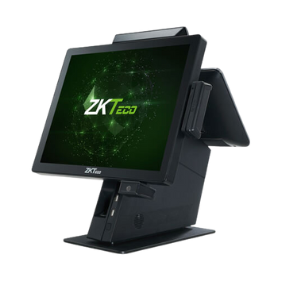
Touchscreen till ZKTeco ZKBio810

Touchscreen till

ZKTeco ZKBio810

The sales terminal at the counter, where staff use EASY-POS. A compact stand with the ports you need for the scanner, the printer and the cash drawer.

  • 15-inch touchscreen, 1024 × 768
  • Intel Celeron J1900 quad-core, 4 GB of memory, 64 GB SSD
  • 6 USB ports, RJ45 network port, cash drawer port
  • Options: 10- or 15-inch customer display, magnetic card reader, built-in code scanner
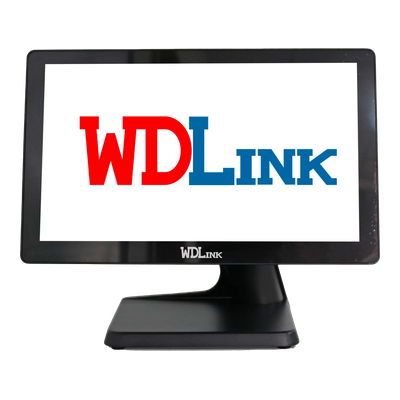
Touchscreen till WDLink WD950

Touchscreen till

WDLink WD950

An all-in-one till in a metal housing, with a large 15.6-inch flat screen, in black or white.

  • 15.6-inch capacitive touchscreen, 1366 × 768
  • Intel Core i3, i5 or i7; 4 or 8 GB of memory, 64 or 128 GB SSD
  • 6 USB ports, network port, serial port and VGA output
  • Options: 11.6-inch customer display or VFD, magnetic card reader, code scanner

Choosing well

What matters in a touchscreen till

The screen

15 inches on the ZKBio810; a 15.6-inch widescreen on the WD950.

The processor

A quad-core Intel Celeron on the ZKBio810; an Intel Core i3, i5 or i7 on the WD950.

The ports

Six USB ports for the scanner and printers, a network port, and a cash drawer port on the ZKBio810.

The customer display

Optional on both models: a second screen facing the customer.

With EASY-POS

A till ready on opening day

  • EASY-POS opens in the till's browser: nothing else to install
  • The scanner, receipt printer and label printer connected and tested
  • Sales staff accounts created, each with its role
  • Your staff trained to sell by scanning

Frequently asked questions

Do you sell touchscreen tills?

Yes: we sell and install ZKTeco ZKBio810 and WDLink WD950 tills, connected to EASY-POS. The price is on the quote, depending on the configuration chosen.

What is the difference between the ZKBio810 and the WD950?

The ZKBio810 has a 15-inch screen and an Intel Celeron J1900; the WD950 a 15.6-inch widescreen and an Intel Core i3, i5 or i7. The spec sheets give the rest.

Can we connect a cash drawer?

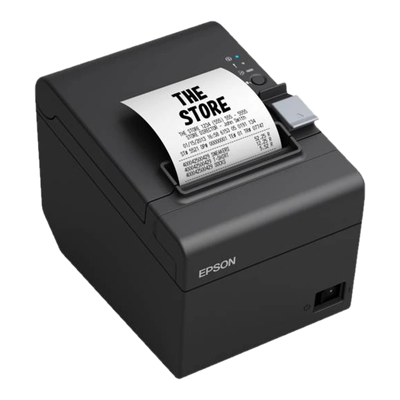
The ZKBio810 has a cash drawer port, and the WDLink WD8260 receipt printer can also drive the drawer.

Can we use a computer instead?

Yes: EASY-POS runs in the browser. A touchscreen till is simply more practical at the counter.

Related pages

Which till for your counter?

Tell us about your store: we suggest the right till, installed with EASY-POS.