




Touchscreen tills
ZKTeco ZKBio810 and WDLink WD950.
POS hardware
A fast scanner, a reliable label printer, a clean receipt: how smoothly a sale goes also depends on the hardware. We sell it, install it and connect it to EASY-POS.
By device type
ZKTeco ZKBio810 and WDLink WD950.
ZKTeco ZKB209 and ZKB202S.
Zebra ZD421t, GK420d and ZKTeco.
Epson TM-T20III and WDLink WD8260.
The devices
The specifications below come from the manufacturers' spec sheets, which you can download as PDFs.
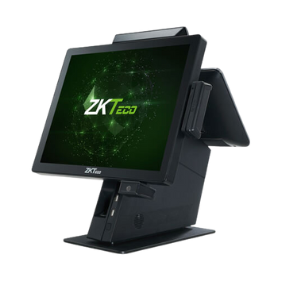
Touchscreen till
The sales terminal at the counter, where staff use EASY-POS. A compact stand with the ports you need for the scanner, the printer and the cash drawer.
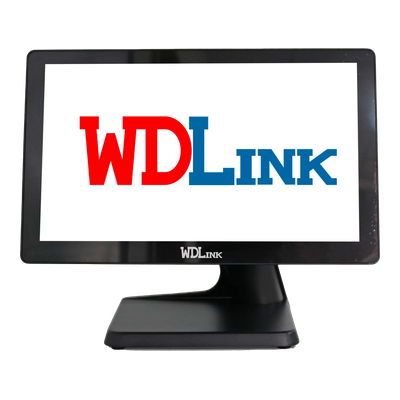
Touchscreen till
An all-in-one till in a metal housing, with a large 15.6-inch flat screen, in black or white.
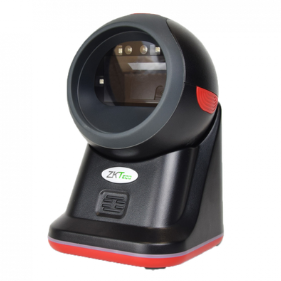
Presentation scanner
Sits on the counter and reads the code as soon as an item or a phone screen is held up to it, so staff keep their hands free.
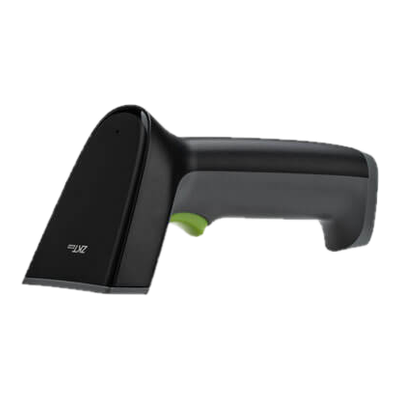
Wireless handheld scanner
For scanning away from the counter, on the shop floor or when goods arrive, with no cable.
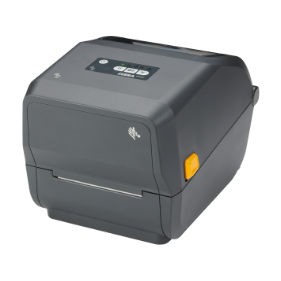
Label printer
Zebra's 4-inch desktop label printer, for printing each product's code.
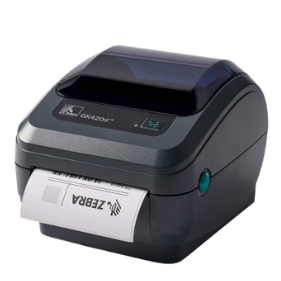
Label printer
Zebra direct thermal desktop printer: no ribbon to change, just the roll of labels.
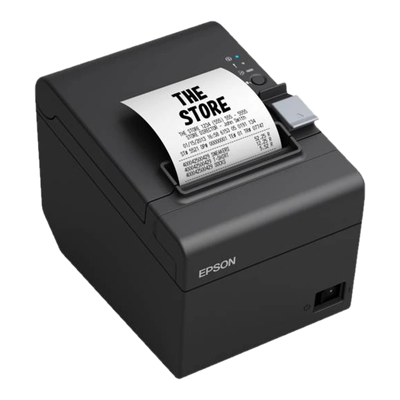
Receipt printer
Epson's receipt printer for the till receipt handed to the customer at every sale.
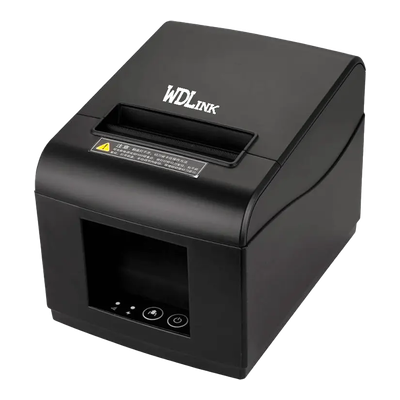
Receipt printer
WDLink's 80 mm receipt printer, with no ink or ribbon: the roll of thermal paper is all it needs.
Label printers
The printer heats a heat-sensitive label, with no ribbon. Simple: the roll of labels is the only thing to change.
A ribbon transfers the print onto the label. The ZD421t can also print direct thermal, without a ribbon.
A thermal transfer label stands up better to rubbing, heat and light: a good choice for items that stay on display for a long time. We advise you based on your products and how many labels you print.
In short
| Device | Use | What we install |
|---|---|---|
| Touchscreen till | The sales terminal, where EASY-POS opens | ZKTeco ZKBio810, WDLink WD950 |
| Code scanner | Reading barcodes and QR codes | ZKTeco ZKB209, ZKTeco ZKB202S or other brands common in Morocco |
| Label printer | Barcode and QR labels | Zebra ZD421t, Zebra GK420d, ZKTeco |
| Receipt printer | Till receipts | Epson TM-T20III, WDLink WD8260 |
We recommend models based on your counter, the number of people selling and how many labels you print.
Your current hardware
Scanner, printer or till already in place: we look at your hardware during the review to see whether it can be kept and connected to EASY-POS.
At the counter, a presentation scanner such as the ZKTeco ZKB209 reads the code held up to it, without being held: barcodes and QR codes alike, including on a phone screen. For scanning on the shop floor or when goods arrive, a wireless scanner such as the ZKTeco ZKB202S.
Yes: we sell and install the tills, scanners and printers shown here, and connect them to EASY-POS. The price is on the quote, depending on the configuration chosen.
On this page: every device links to the manufacturer's sheet, as a PDF, or to its page on the manufacturer's website.
We install Epson receipt printers, such as the TM-T20III, and WDLink ones, such as the WD8260.
It depends on the models: we check during the review, before suggesting anything.
Installation is organised on request, whatever city your store is in.
Product records, codes and labels.
Scan-based sales, payment and receipt.
Review, hardware, set-up and training.
Tell us about your store: we suggest the right hardware and its installation.