

Skip to content

Label printer

Barcode label printers for your products

Each product gets its code in EASY-POS; the label printer turns it into a barcode or QR code, ready to stick on. We sell and install Zebra and ZKTeco printers.

The models

The label printers we install

Specifications from Zebra's spec sheets.

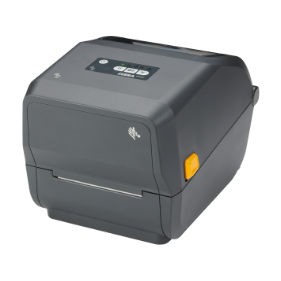
Label printer Zebra ZD421t

Label printer

Zebra ZD421t

Zebra's 4-inch desktop label printer, for printing each product's code.

  • Thermal transfer with a ribbon, or direct thermal
  • 203 dpi (300 dpi optional), up to 152 mm per second
  • Print width up to 104 mm
  • USB as standard; Ethernet, Wi-Fi and Bluetooth optional
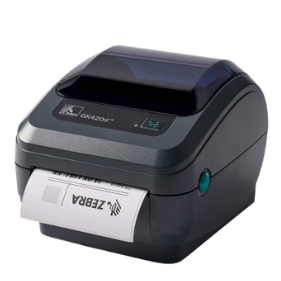
Label printer Zebra GK420d

Label printer

Zebra GK420d

Zebra direct thermal desktop printer: no ribbon to change, just the roll of labels.

  • Direct thermal, 203 dpi
  • Up to 127 mm per second, 104 mm print width
  • USB, serial and parallel (or Ethernet, optional)
  • Compact: 171 mm wide, 152 mm high, 1.4 kg

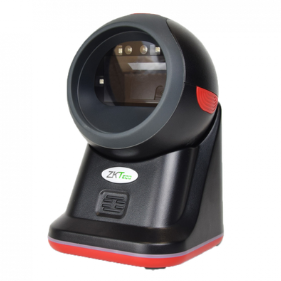
We also install ZKTeco label printers: model and spec sheet on request.

Choosing well

What matters in a label printer

Label durability

With thermal transfer, the print stands up better to rubbing, heat and light.

Simplicity

With direct thermal there is no ribbon: only the roll of labels to change.

Code size

A QR code fits on a very small label: handy for jewellery and frames.

The Zebra ZD421t prints in both modes; the GK420d prints direct thermal. See also direct thermal or thermal transfer.

With EASY-POS

From product record to label

  1. Create the product

    EASY-POS automatically gives it a unique code.

  2. Print

    The code prints as a barcode or QR code on the label printer.

  3. Sell

    Once the label is on, the item sells with a scan.

Frequently asked questions

Do you sell label printers?

Yes: the Zebra ZD421t and GK420d and ZKTeco printers, sold and installed with EASY-POS.

Do we need a ribbon?

Not with direct thermal; yes with thermal transfer. The ZD421t can do both; the GK420d prints direct thermal.

What resolution?

203 dpi on both Zebra models, with 300 dpi optional on the ZD421t.

Can we reprint a damaged label?

Yes, from the product record. See products and barcodes.

Related pages

Clear labels for all your products

We show you how a product is created and its label printed.