




Faster
One scan per item: work shelf by shelf, with no count sheet to type in afterwards.
Stock counts
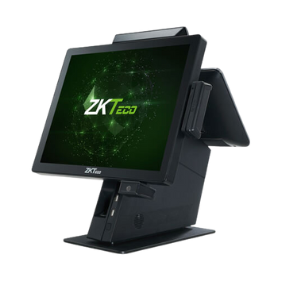
No more counting on paper and typing it all in afterwards: the inventory manager scans items on the shelves with a wireless scanner, and EASY-POS immediately sets the count against theoretical stock.
The idea
The inventory manager creates the count, with its title and date.
Item by item, the scanner reads the label: counted quantities are recorded as you scan, with nothing to write down.
The application compares the count with theoretical stock: missing or surplus items stand out straight away.
What you gain
One scan per item: work shelf by shelf, with no count sheet to type in afterwards.
The label's code identifies the item: no mix-ups between two similar references.
Each difference concerns an identified item: a forgotten label, an unrecorded removal, a misplaced item.
Stock restarts from a verified base, at launch as at the end of a season.
The hardware
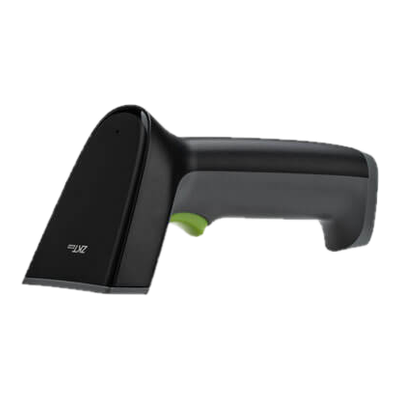
A wireless scanner such as the ZKTeco ZKB202S follows the inventory manager to the shelf: up to 60 m from its base, and at least 12 hours of use per charge according to the manufacturer.
Who does what
The inventory manager role opens counts, records quantities and reviews differences, without access to the till if you so decide. See user roles.
Differences can then be explained with each product's history of stock in, stock out, transfers and sales.
It is the barcode scanner you hold in your hand, often called a « douchette » in Morocco. Wireless, it lets you scan items on the shelves, away from the counter.
Yes, any scanner connected to the computer reads the labels; a wireless scanner simply saves carrying items to the counter.
Yes: the 2D scanners we install read barcodes and QR codes alike.
It depends on your products: a full count at the end of a season or year, and more frequent counts on high-value items.
Stock in and out, transfers, stock value.
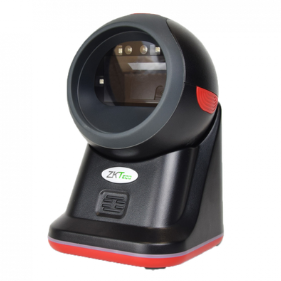
ZKTeco ZKB209 and ZKB202S.
Sales, storekeeper, inventory, manager.
We show you a full count: opening it, scanning the shelves and reading the differences.